Find your way around
Every page in BizzWeave ERP has the same six parts. Learn them once and you can find anything.
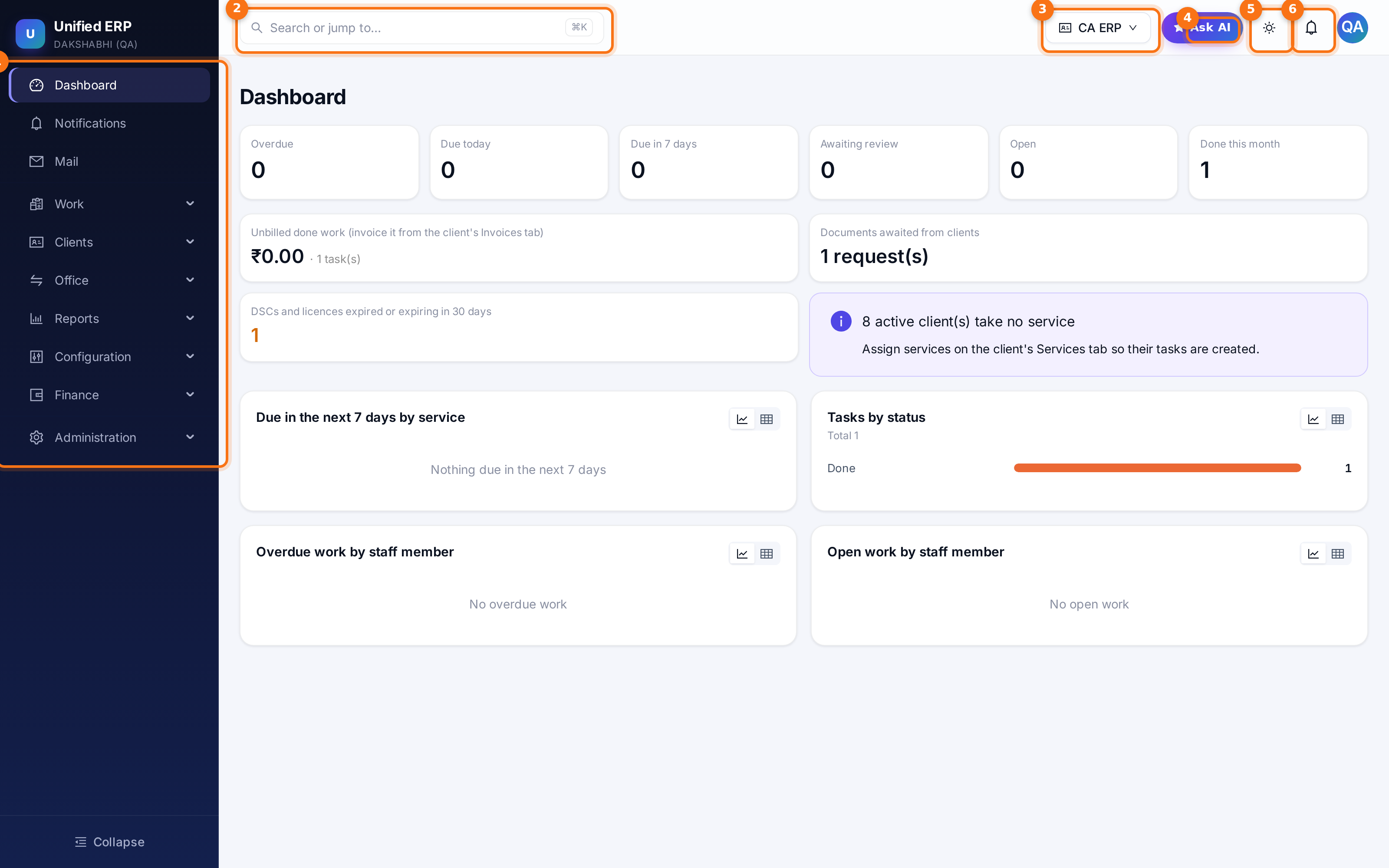
| Part | What it does | |
|---|---|---|
| 1 | Menu | Lists every area you can use. Click a heading, such as Clients, to open it and see its pages. The menu changes with the category you pick in 3. Click Collapse at the bottom to make it narrow and give the page more room. |
| 2 | Search or jump to… | Type a few letters of any page, client, project or invoice and press Enter to go straight there. Shortcut: Ctrl+K (Cmd+K on a Mac). |
| 3 | Category switcher | Switches between the categories your organisation uses, for example from CA ERP to Project Management. See below. |
| 4 | Ask AI | Ask a question in plain English, for example “Which GST returns are overdue?”. The AI assistant answers from your organisation's data. |
| 5 | Light / dark | Switches the colours between a light and a dark look. |
| 6 | Notifications | The bell shows new items for you: tasks assigned to you, approvals waiting and reminders. Your initials next to it open your profile and Sign out. |
Switch to another category
If your organisation uses more than one category, you choose which one the menu shows.
- Click the category switcher 3 at the top of the page. It shows the name of the current category, for example CA ERP.
-
Pick another category from the list.
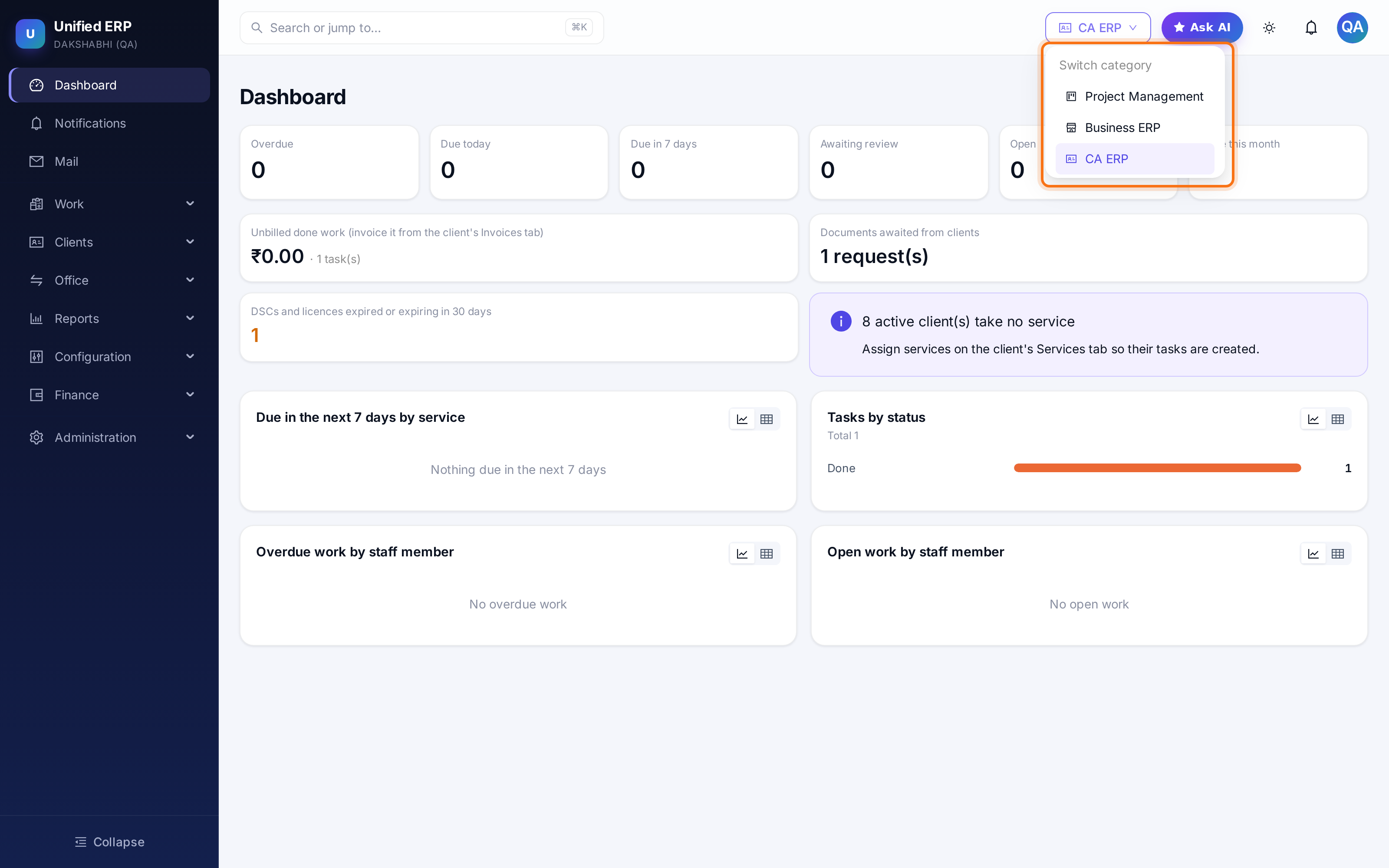
Only the categories your organisation uses, and that you have access to, appear in the list. -
The menu on the left changes to that category's modules. Your data stays the same: a customer you added in one category is the same customer in another.
BizzWeave ERP remembers your choice
The next time you sign in, the category you last used opens automatically. An administrator can choose the default category for everyone under Administration → System → Settings.
The Administration menu
At the bottom of the menu, Administration holds the pages that set up your organisation: branches, departments, members (users), roles, the ERP Store, settings, billing and GST details, mailboxes and the audit trail. Most people see only some of these, depending on their role.