CA Firm ERP
Practice management for chartered-accountant firms. Keep every client in one place, let the ERP create the recurring GST, income tax, TDS and ROC work, collect documents from clients, track DSC expiry and bill for the work you finish.
How a CA firm works in BizzWeave ERP
The usual flow, from a new client to a paid invoice:
Modules
Clients
Add clients, keep their tax identifiers, contacts and services, and group related clients.
Compliance tasks
Every GST, ITR, TDS and ROC job, with due dates, staff, reviewer and status.
Document requests
Ask clients for documents and see what is still pending.
Register in / out
Record original documents that come into or leave the office.
DSC & expiry
Digital signature certificates and licences, with reminders before they expire.
Email broadcasts
Send one e-mail to many clients, for example a due-date reminder.
Reports
On-time delivery, turnaround time and staff workload.
Services & settings
The service catalogue, prices, custom fields and tags.
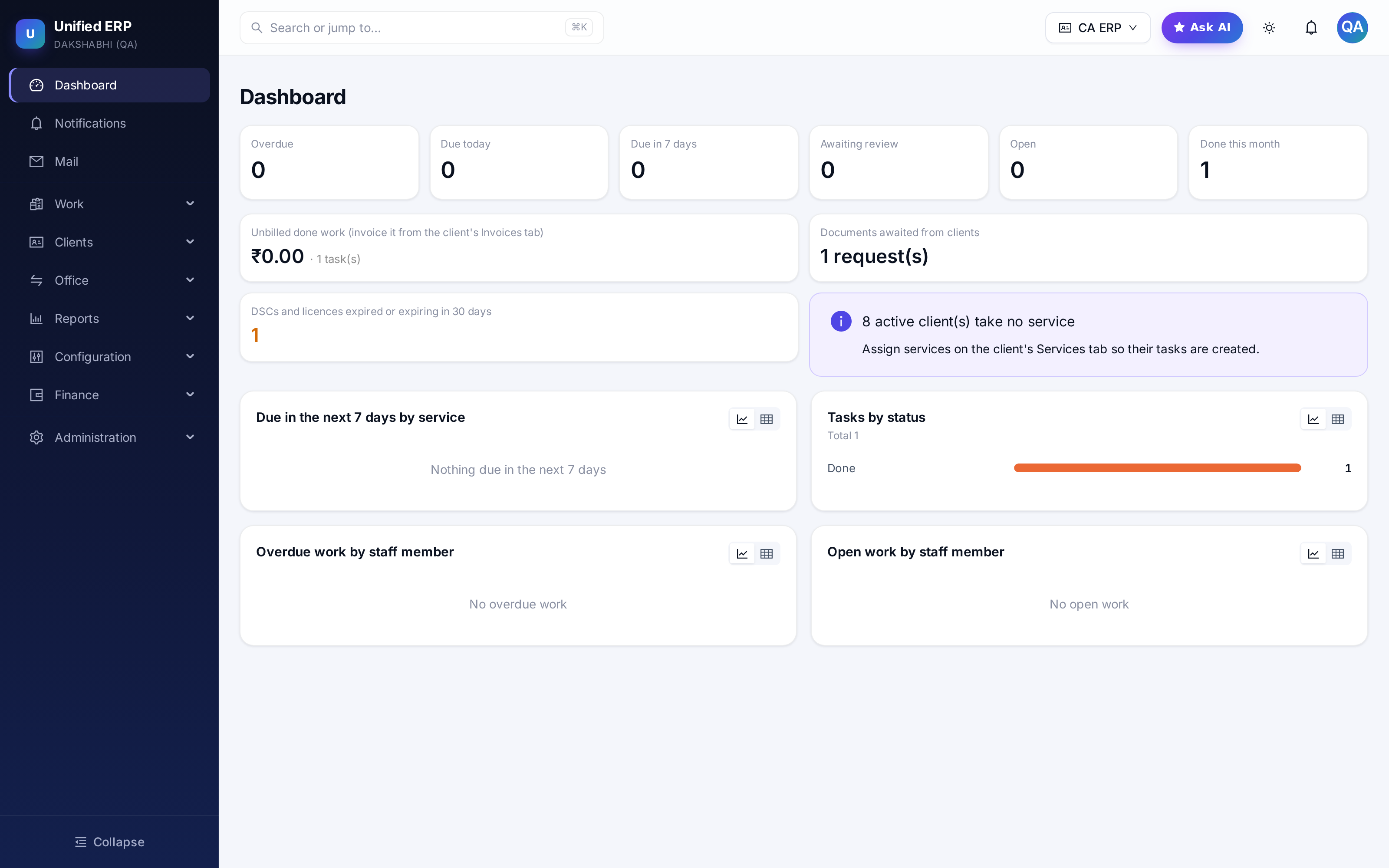
The CA ERP dashboard
When you choose CA ERP in the category switcher, the Dashboard shows the firm's work at a glance: overdue tasks, tasks due today and this week, work waiting for review, unbilled finished work, documents still awaited from clients, and DSCs or licences expiring in the next 30 days.